Invasion Of Liberty

RoleGraphics Programmer / Secondary Lead
Team Size4
Development Time1 month
Invasion of Liberty gameplay

Contributions

Utilizing the Vulkan API. Managing HLSL Vertex/Fragment Shaders. Debugging Tools. Developer Lighting Toggle. Game Pause State with Enemy/Bullet responsiveness.
Created and implemented assets. Source Control Management with Github. Clarified and Refactored Code during Code Freezes. Managing multiple viewports for information (lives/minimap/score).

Using Vulkan
  • Chose Vulkan due to my experience with it from the previous class.
  •  
  • We reused my previous class's renderer which helped speed up production and testing.
  •  
  • Benefitted from having clarity in code structure from my previous renderer with debugging options.
Using Vulkan
Learning/Using Shaders
  • Used Vertex/Fragment shaders to help draw models and apply filters (greyscale).
  •  
  • Setting up additional viewports and passing info to the shaders was easy since the team reused my previous rendering pipeline.
  •  
  • Used Descriptor Sets and Constant buffers to pass along viewport information.
Learning/Using Shaders
Debugging Tools
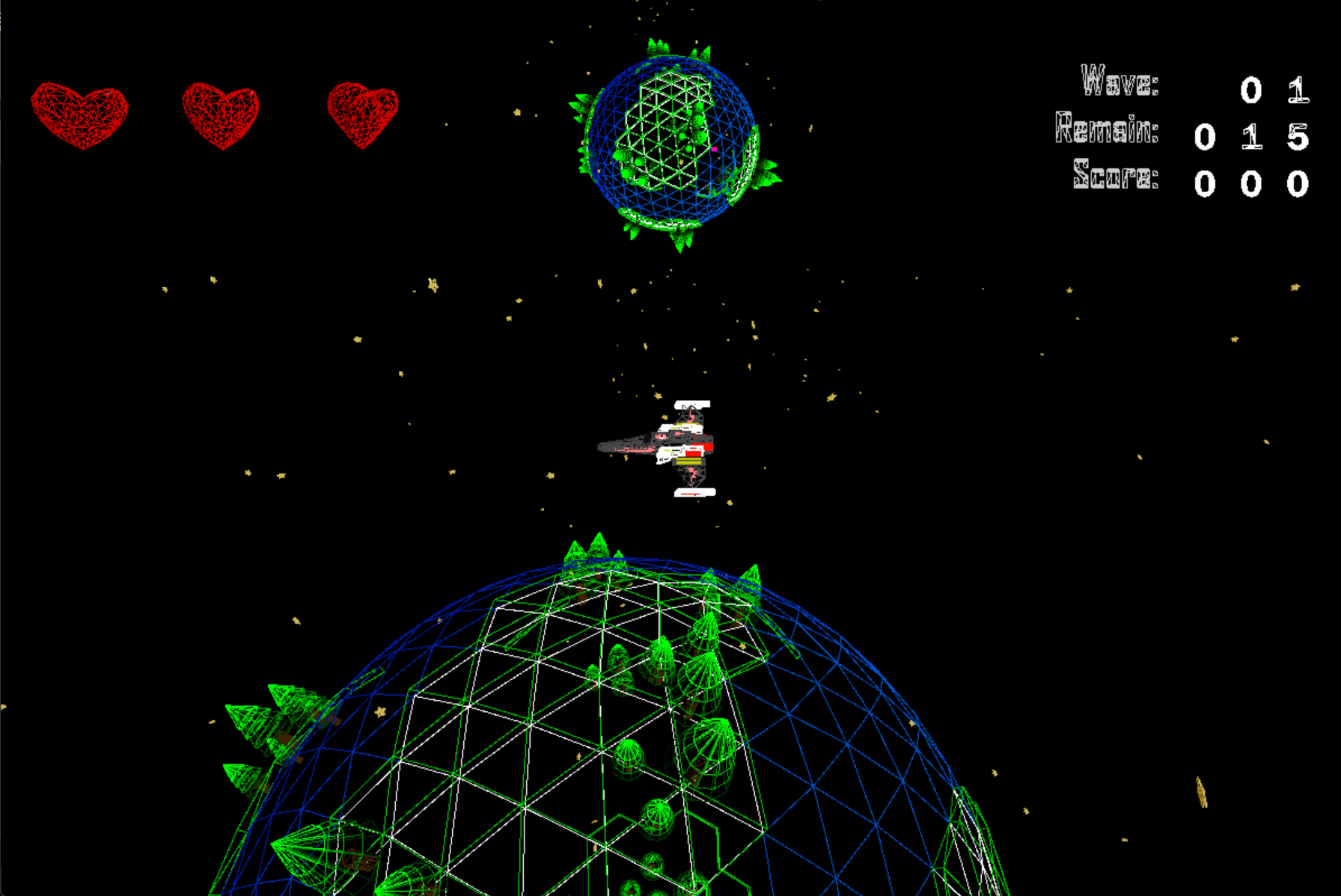
  • Wireframe or Lighting Toggles helped find problems related to the pipeline and models.
  •  
  • Material color cycling helped find if objects were being improperly drawn or hard to see.
  •  
  • Console logging for any time an action was performed (entity hurt/shoot/death/sounds).
Debugging Tools
Pausing Functionality
  • Implementing a pause menu helped players when they needed a break or found it stressful.
  •  
  • The players attention is primarily on the ship, which is where the 'Game Paused' notification is located.
  •  
  • Implementing pausing functionality was much more of a challenge than initially thought.
Pausing Functionality
Github and Code Refactoring
  • Using Github helped manage source control, manage workflow, and resolve conflicts.
  •  
  • Being the most proficient with Github on the team led me to be in charge of resolving merge conflicts.
  •  
  • Merge Requests were always peer-reviewed in order to help prevent errors or conflicts.
Github and Code Refactoring
Managing Multiple Viewports
  • Viewports helped display player lives/scores, the minimap, and gameplay.
  •  
  • Each viewport had an associated function to help manage drawing functionality.
  •  
  • Using multiple viewports helped avoid having to create multiple pipelines just to draw specific models.
Managing Multiple Viewports

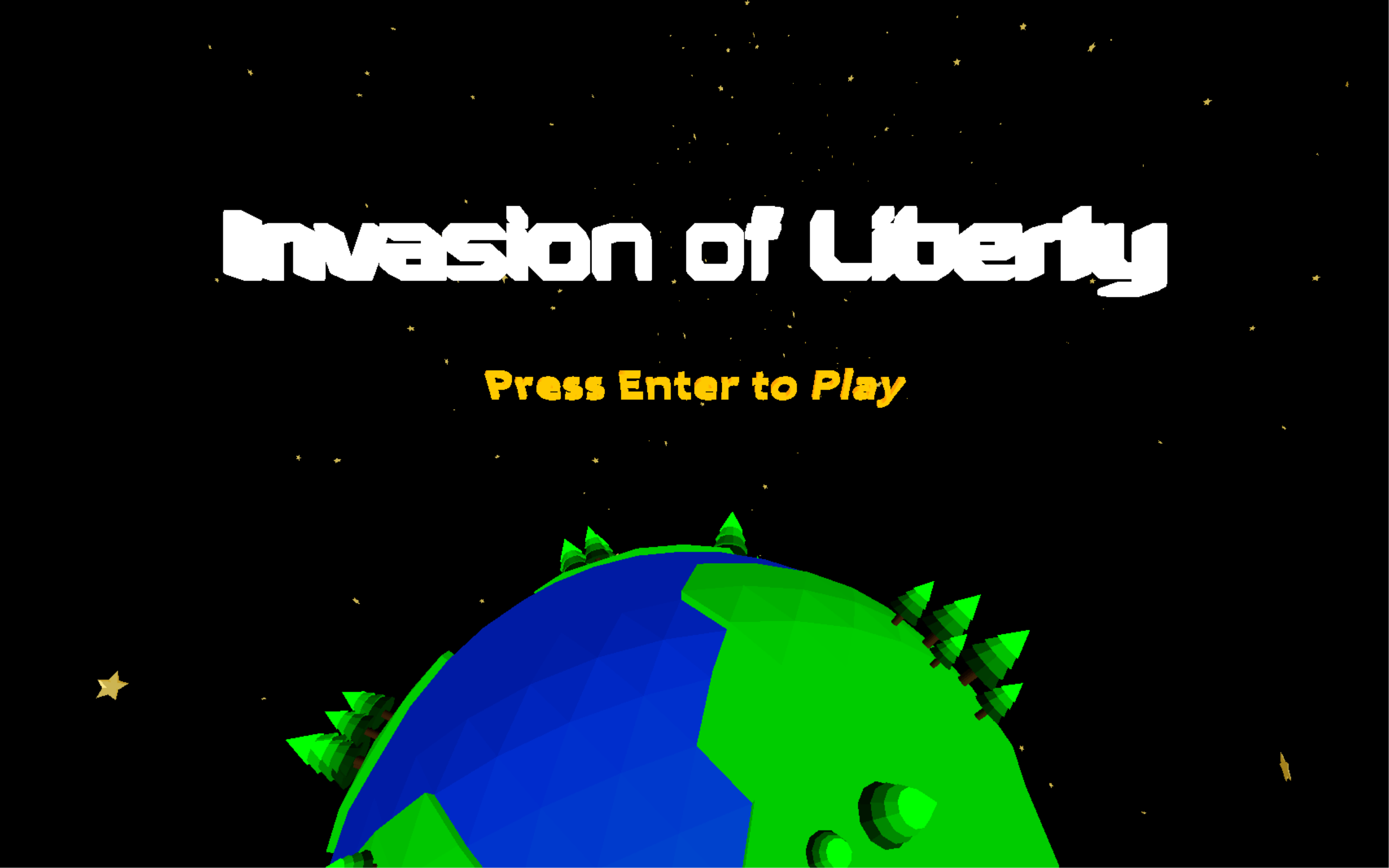
A screenshot of the main menu, featuring a rotating planetary background and moving text!

A screenshot of the main menu, featuring a rotating planetary background and moving text!

When attempting to get the camera to follow the player, I managed to recreate a GTA V style cinematic camera which wasn't ideal but was cool nonetheless.
When attempting to get the camera to follow the player, I managed to recreate a GTA V style cinematic camera which wasn't ideal but was cool nonetheless.

This was a prototype of the game after week 2, models were being created and imported as well as shooting from the player.

This was a prototype of the game after week 2, models were being created and imported as well as shooting from the player.

Using the greyscale shader in action for a requirement on one of the assignments, though I didn't want to take it out cause it provided a nice retro look to the game.

Using the greyscale shader in action for a requirement on one of the assignments, though I didn't want to take it out cause it provided a nice retro look to the game.

The fan favorite wireframe mode in action, showcasing the low-poly models I created during the month for the project.

The fan favorite wireframe mode in action, showcasing the low-poly models I created during the month for the project.

Displaying that the game was paused was actually one of the last-second additions, our team lead Jerry had already made pausing functional, it just needed the display that I added in.

Displaying that the game was paused was actually one of the last-second additions, our team lead Jerry had already made pausing functional, it just needed the display that I added in.

This was one of the times when model IDs got mismatched during a build process. It was quite funny to see the player shooting out planes and bullets so I thought I would add it here.
This was one of the times when model IDs got mismatched during a build process. It was quite funny to see the player shooting out planes and bullets so I thought I would add it here.

For the health display system, I decided to use custom 3D Heart models that rotated.

For the health display system, I decided to use custom 3D Heart models that rotated.

One of the earlier implementations of the main menu that I managed to make, which resulted in incorrect model IDs.
One of the earlier implementations of the main menu that I managed to make, which resulted in incorrect model IDs.

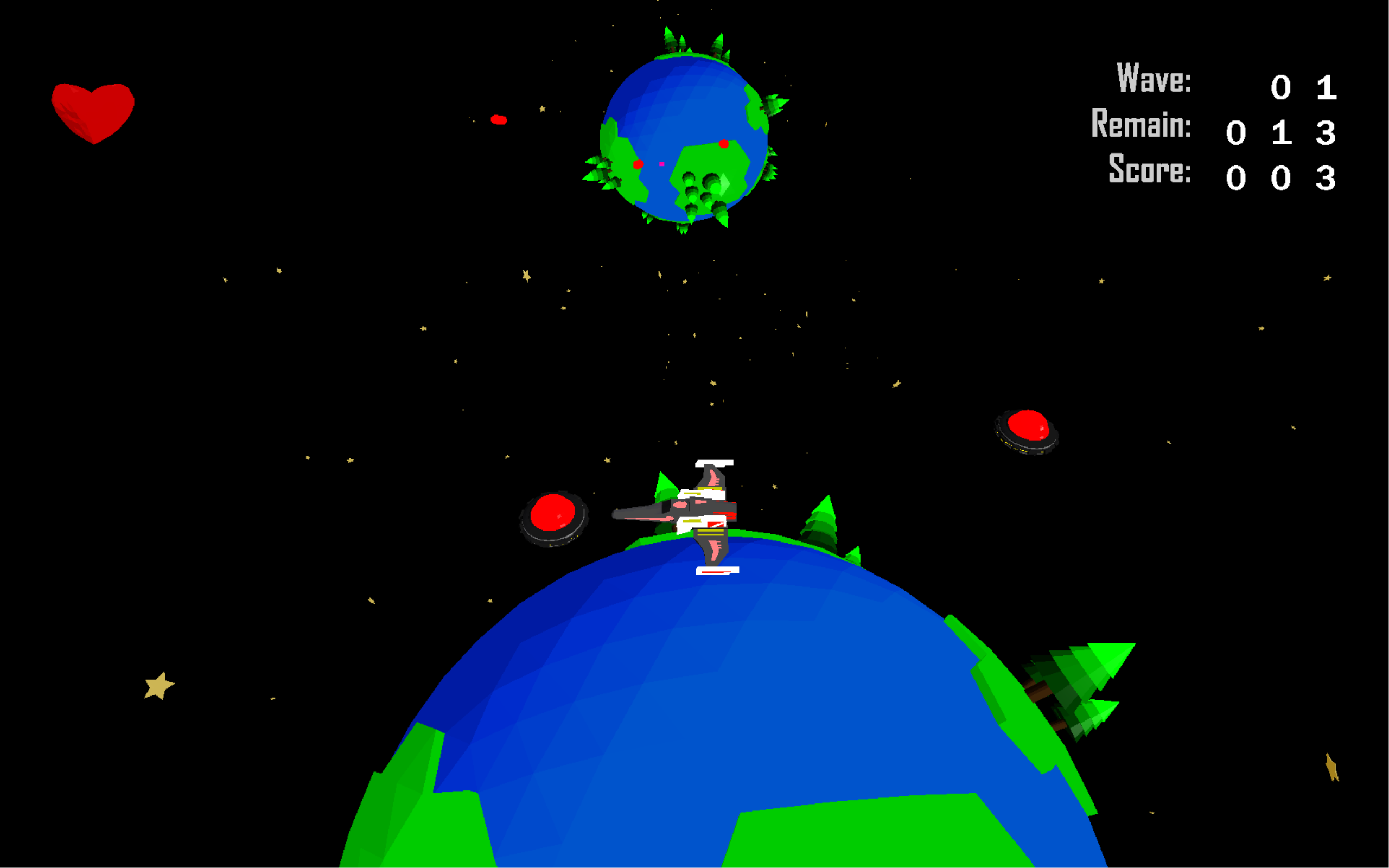
Some gameplay of our game in Wave 1, where the player bravely fights off the oncoming enemies!

Some gameplay of our game in Wave 1, where the player bravely fights off the oncoming enemies!

Every entity model has a unique destroyed model that displays when wiped out.
Every entity model has a unique destroyed model that displays when wiped out.

A close-up of the minimap. The player is shown as a purple square and the enemies are red circles to contrast the planet below.
A close-up of the minimap. The player is shown as a purple square and the enemies are red circles to contrast the planet below.

Using 3D models for the text I was able to display the player's score accurately each time it was updated.
Using 3D models for the text I was able to display the player's score accurately each time it was updated.

Main menu
Main menu

Fullscreen view

Fullscreen view

Greyscale shader

Greyscale shader

Greyscale effect applied
Greyscale effect applied

Score display with greyscale effect
Score display with greyscale effect

Cheat mode
Cheat mode